Wake Up An Animal Controls Guide
PC, mobile, and console inputs for waking animals without wasting breath.
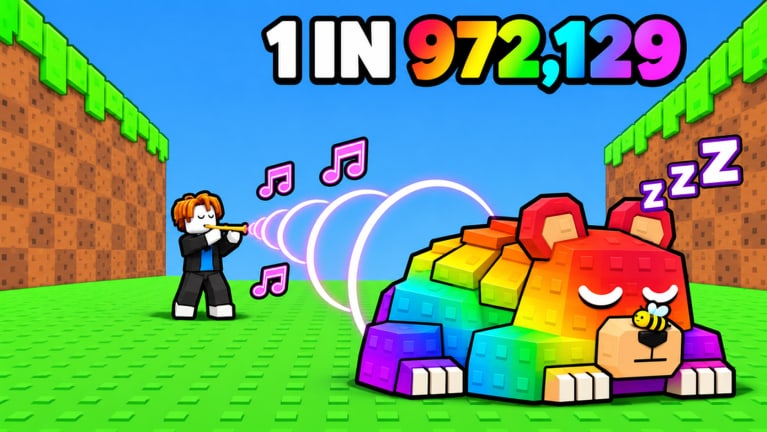
Missed wakes are usually a controls problem, not a luck problem. Wake Up An Animal asks you to aim an instrument blast, manage camera angles, open shops, and redeem codes across PC, mobile, and console Roblox clients. This controls guide maps the practical inputs and settings that keep your breath and instruments actually connecting with sleeping animals.
Core actions every platform needs
| Action | Why it matters |
|---|---|
| Move | Position for breath range |
| Camera | Line up packs without clipping geometry |
| Wake / use instrument | Primary farming action |
| Equip / swap instrument | Luck and feel changes |
| Open collection | Confirm banks after wakes |
| Open Codes / Settings | Claim free rewards |
| Shop / NPC interact | Buy breath and instruments |
If any of these feel buried behind a tutorial lock, finish the orange starting zone steps in getting started first.
PC controls
Typical keyboard and mouse layout:
- WASD — move
- Mouse — camera
- Left click — wake / fire instrument (confirm in Settings if rebound)
- E or proximity prompt — shops and interactables
- Esc — Roblox menu; use HUD buttons for in-experience panels
- Numbers / hotbar — swap tools if the experience exposes a hotbar after unlocks
PC tips that raise hit rate:
- Raise camera slightly so you see pack depth instead of only the nearest sleeper.
- Strafe sideways while charging a wake so you stay inside breath range without walking through models.
- Click once cleanly — spam clicking can desync animations on laggy servers.
- Fullscreen or borderless modes reduce accidental taskbar clicks mid-farm.
Mobile controls
Mobile is where most new players struggle. Touch joysticks fight precise aim.
Recommended mobile setup:
- Enable a comfortable joystick size in Roblox settings
- Use a lighter touch on camera drag so you do not overshoot packs
- Tap the wake button deliberately after you plant your feet
- Rotate the device to landscape for wider pack visibility
- Keep thumbs free of the Codes icon until you intentionally redeem
When breath is low, walk closer before tapping wake. Mobile players who stand at max theoretical range miss more often because touch latency stacks with server latency. Review how to wake animals for timing habits that work on phones.
Console controls
On PlayStation, Xbox, or console-connected Roblox:
- Left stick — move
- Right stick — camera
- RT / R2 (typical) — wake / tool use (verify on-screen prompts)
- X / A — confirm prompts
- View / Touchpad style buttons — open Roblox overlays; use in-game HUD for Codes
Console players should enable the on-screen cursor when typing codes. Copy-paste is harder on console, so keep codes short notes nearby and type carefully — case sensitivity still applies (how to redeem).
Camera habits that save breath
Breath upgrades expand range, but camera discipline multiplies that investment:
- Keep the horizon slightly above pack center so distant sleepers stay visible
- Avoid extreme top-down angles that hide elevation differences between animals
- Re-center after every multi-wake so you do not drift into geometry
- On mobile, pause movement before camera tweaks to prevent joystick drift
Pair these habits with the zones guide — denser biomes punish messy cameras harder than the orange tutorial field.
Menu and UI navigation
Learn these panels early so you do not lose minutes hunting buttons:
- Codes — free cash and boosts (codes hub)
- Shop — breath and instruments
- Collection — roster and offline earners (animal collection)
- Settings — volume, graphics, and sometimes control hints
After a FixEyeGames UI patch, buttons can move. When that happens, check updates and re-learn the icon once instead of rage-quitting.
Accessibility and comfort settings
- Lower graphics if wake VFX tanks frame rate — missed inputs often come from stutter
- Raise UI scale on mobile if shop text is hard to tap
- Use headphones for audio cues if the experience telegraphs successful wakes
- Take breaks during long rare hunts; tired thumbs miss more than unlucky rolls
Practice drill (five minutes)
- Enter the starter zone with your current instrument.
- Wake five animals without moving the camera more than small corrections.
- Wake five more while strafing only.
- Swap to your next instrument and repeat three wakes.
- Open collection and confirm all banks landed.
If you fail the drill, buy breath before you buy luck. Controls feel “broken” when range is simply too short.
Related pages
Master inputs once, then let upgrades compound. Clean controls turn every breath purchase into real coverage instead of expensive near-misses.
Frequently Asked Questions
Quick answers to the most common questions.
Why do I miss wakes on mobile?
Touch latency plus low breath is the usual cause. Step closer, plant your feet, then tap wake once. See breath training.
Where is the Codes button?
It lives in the experience HUD and can move after UI patches. Full steps are on how to redeem.
Can I rebind wake on PC?
Check in-experience Settings and Roblox client binds. If wake feels wrong after a patch, re-open Settings before assuming a bug.
Do console players get the same progression?
Yes. Breath, instruments, zones, and offline cash are the same; only input devices differ.
What should I practice first?
Stable aim in the orange zone from getting started, then efficient packing from how to wake animals.